
Software/Simple CFD
Focused flow simulation for valves, nozzles, piping and HVAC ductwork — steady-state and transient incompressible flow, without standing up a full simulation department. Now free to use.
Windows 1.2.3 · Linux 1.2.5. Install it, then email us and we’ll activate your licence at no cost.
Get started
No purchase, no payment details. Download it, ask us for your free licence, and activate.
Pick the Windows installer or the Linux package (.deb, AppImage or Snap) from the downloads page.
Send us a short note with your name and operating system. We’ll activate a licence for you at no cost and reply with your key.
Paste the key into the Activate License screen the first time you open the app. That’s it — load your geometry and run.
Linux builds run straight away on a built-in free tier — up to 100,000 mesh cells on 1 CPU core, no key needed. Activating your free licence lifts those limits. On Windows, a licence key is needed to run a simulation.
See it in action
Upload your geometry, mark your inlet and outlet, and hit solve — no meshing expertise, no manual dictionary editing. A few clicks get you contour plots, velocity vectors, and force and mass-flow results you can trust.
For systems that settle into a stable operating condition — pressure drop across a valve at a fixed opening, flow distribution through a piping network, steady airflow through HVAC ductwork.
For behaviour that develops over time — how a flow field builds up and settles after a change in operating condition, or how pressure and velocity evolve through a duct or manifold.
Where it’s used
Simple CFD handles incompressible flow — liquids, and gases at low speed — which covers the vast majority of valve, nozzle, piping and duct work.
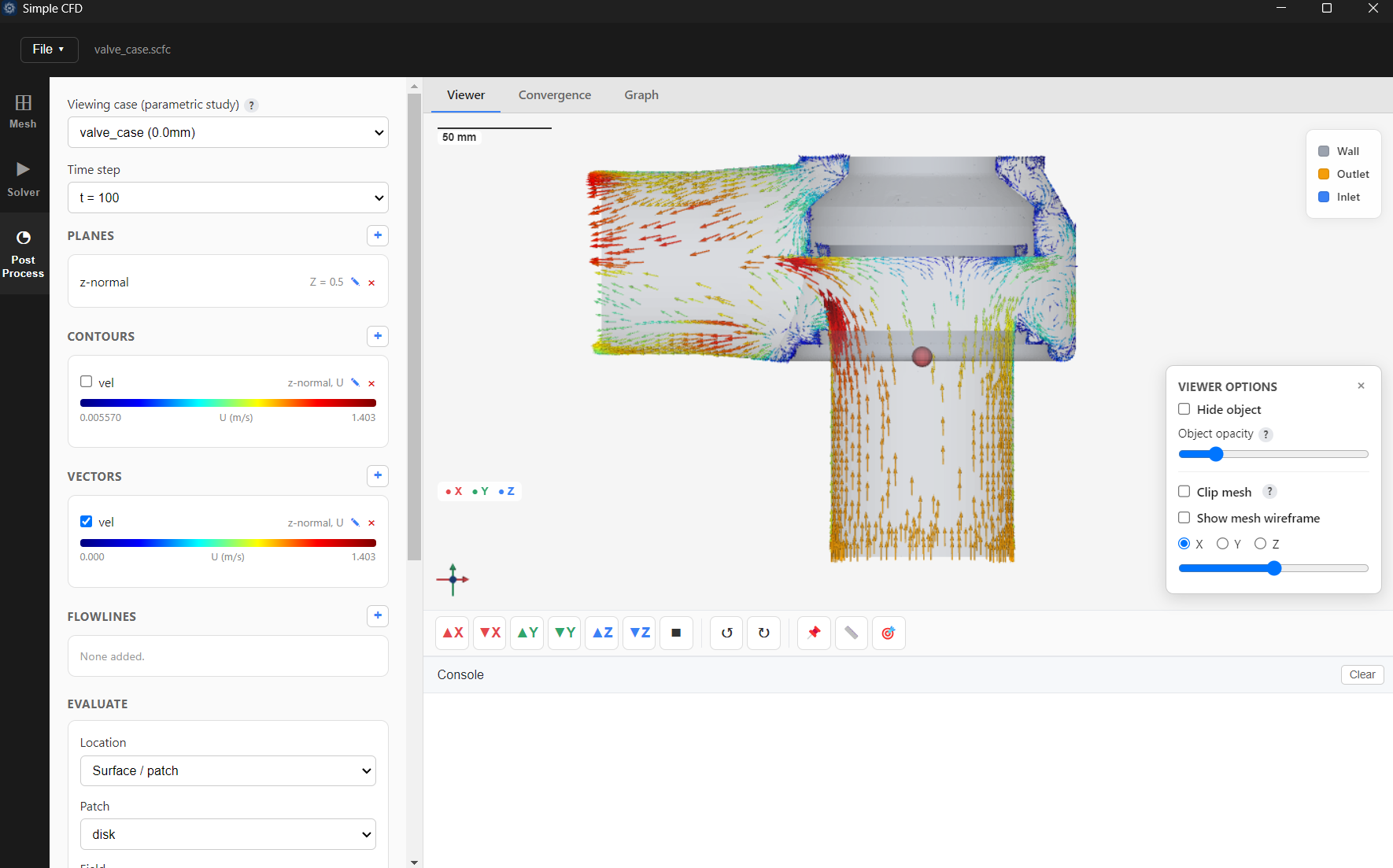
Pressure drop across control and shut-off valves at various openings, flow-coefficient (Cv/Kv) validation, and force on the disk or plug at each position.
Discharge behaviour through nozzles, orifice plates and restrictions — pressure loss, jet development, and flow-coefficient checks against measured data.
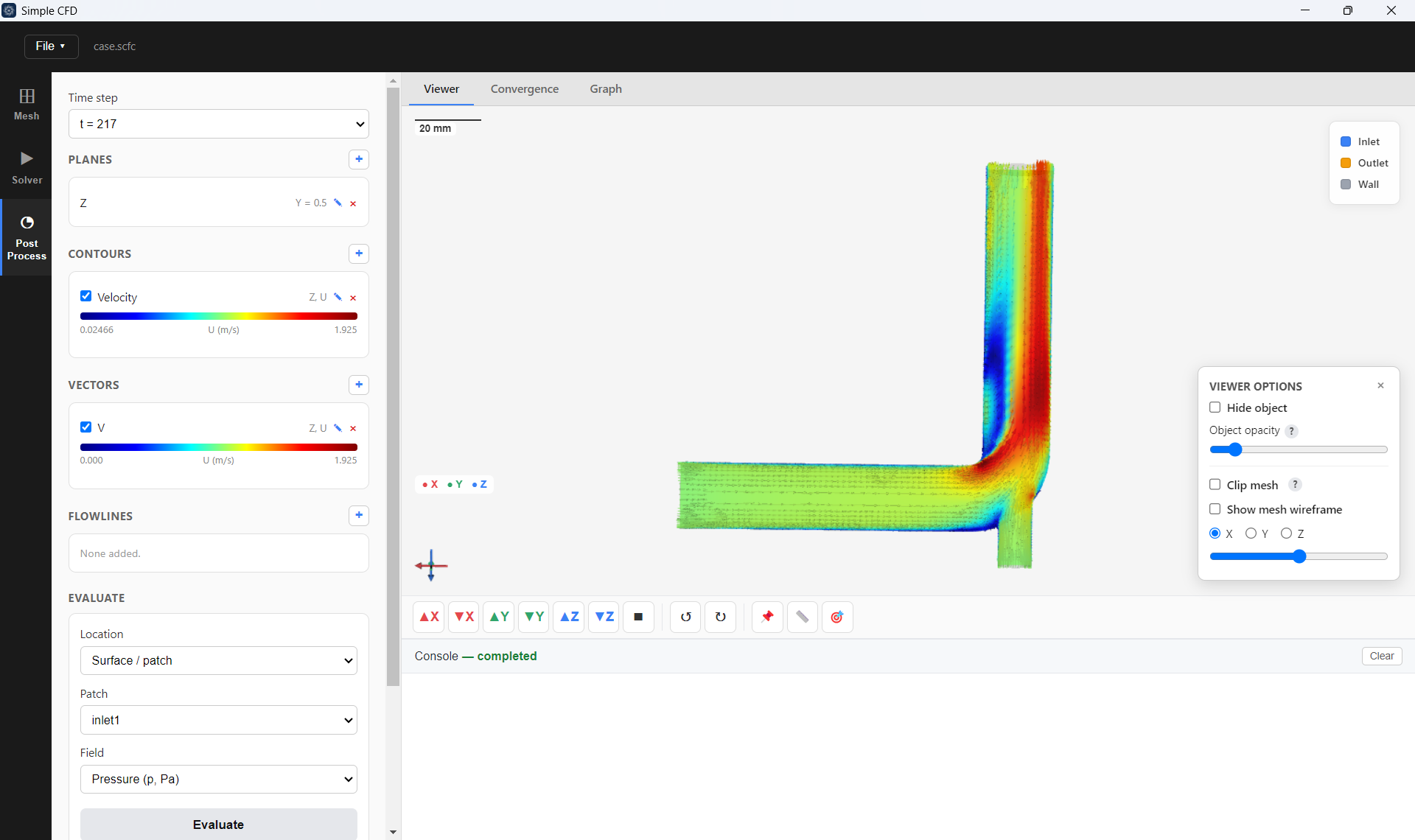
Flow distribution across branches and headers, pressure loss through fittings, elbows and reducers, and sizing verification before a line goes into service.
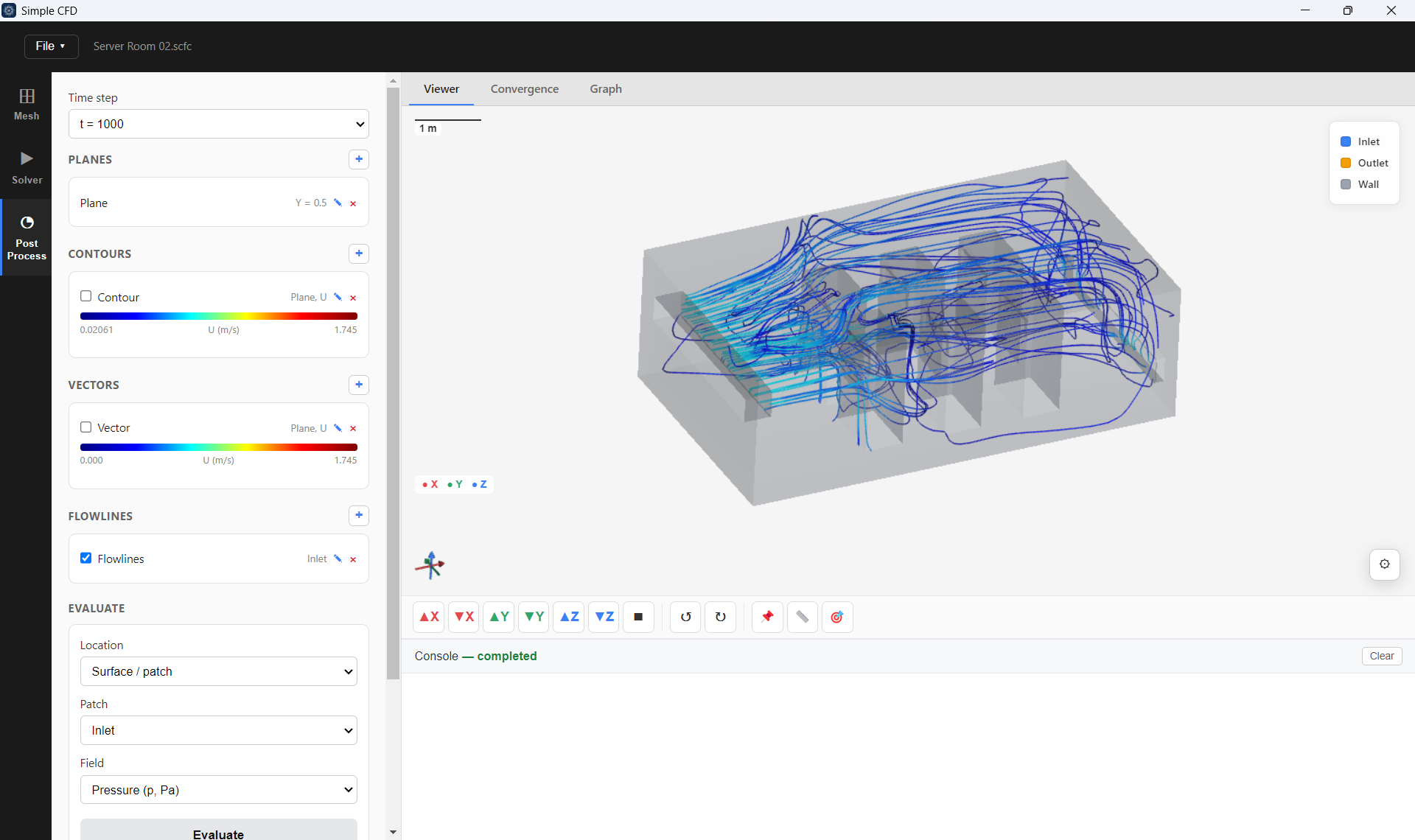
Duct airflow distribution across branches, diffuser and grille performance, and pressure loss through bends, dampers and transitions at a given operating condition.
Good to know
Yes. Simple CFD is free to use. To activate your licence, email us and we’ll issue a key at no cost.
Each licence activates on a single machine and allows one running instance of Simple CFD at a time on that machine. If you move to a different computer, deactivate the licence on the old machine first (or contact us and we’ll reset it for you), then activate it on the new one. Need to activate it on more than one machine or for a whole team? Email us.
No — Simple CFD is focused on steady-state and transient incompressible flow. For a broader range of flow physics, see DynamiX CFD, launching at Diwali 2026.
Have a question before you start? Talk to our team — we’re happy to walk through what Simple CFD covers for your application.
DynamiX CFD, launching at Diwali 2026, adds multiphase and mixing flow, a large turbulence-model library and adaptive meshing. See what’s coming →