
Software/DraftCore Mechanical
Parametric mechanical CAD for parts, assemblies and drawings — with sheet metal, frames and welds, mesh repair, machining and rendering built in. Runs fully offline, in your browser or as a desktop app.
until launch · 20 October 2026, IST
Built by Magnolab Engineering’s own design team. Write to us for pricing and availability.
What’s inside
DraftCore Mechanical covers the everyday mechanical design workflow — and the work around it — in a single application.
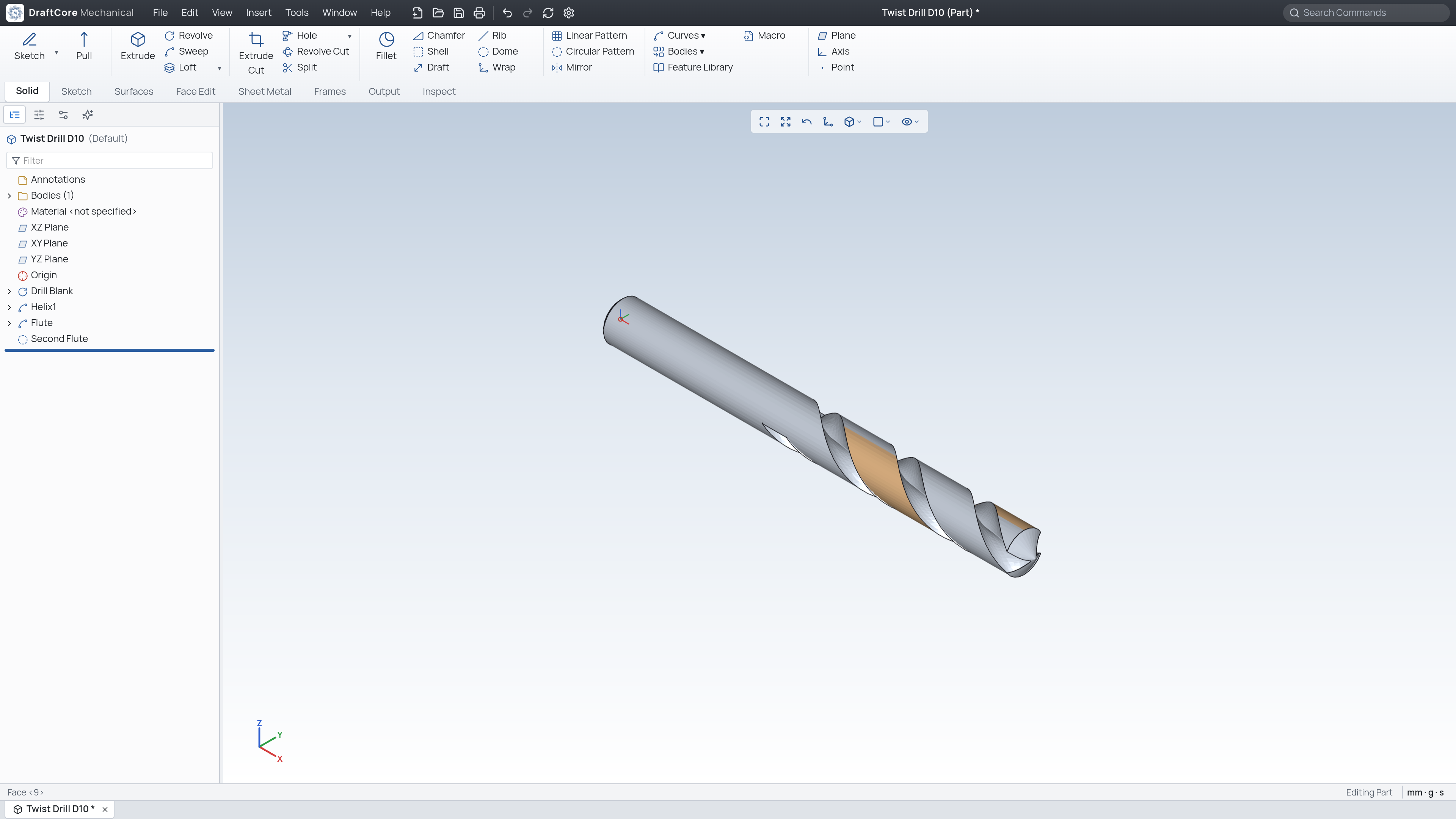
Extrude, revolve, sweep, loft, fillets, chamfers, shell, draft, rib, holes, patterns and more. Reorder, roll back or insert features in the tree, or use Pull to drag a face, edge or sketch with a live preview.
Lines, arcs, splines, slots, polygons, text and blocks, with geometric constraints and driving dimensions that preview live as you place them.
Base flange, hem, jog, line bend and forming tools, with gauge and K-factor tables and a flat-pattern DXF that carries bend lines.
A standard profile catalogue — tube, pipe, angle, channel and beams — plus fillet welds, a weld table, gussets, end caps and a cut list.
Standard, cam, gear and slot mates, fasteners, exploded views, interference and clearance checks, motion simulation, and a lightweight mode for large assemblies.
Section, detail, auxiliary and broken-out views, GD&T, BOM, hole and weld tables, revision clouds, and an editable title block on A0–A4 and ANSI sheets.
Open STL, OBJ and PLY scans; check, repair, fill holes, remesh and sculpt; run mesh booleans; and convert fitted regions into an editable solid.
Milling, turning and wire-cutting toolpaths with material-removal simulation, cycle time and post-processed G-code. Check and simulate every program before cutting.
Physically based materials, studio lighting and soft shadows, image decals, PNG export up to 4×, and turntable video.
Linear static stress on a single part: material presets, fixed faces, forces and pressures, then von Mises stress, movement and factor of safety. Results are a guide.
JavaScript macros with parameter forms, shareable add-on packages, and a local, key-protected REST API you can call from any language.
Version history, check-out / check-in, and a release flow from In Work to In Review to Released, with revision letters and notes per document.
Parametric by design
Every driving dimension and feature value has a name, and any of them can be driven by an equation. Configurations let one part carry many variants.
Sketch1.D1 and Extrude1.depth, used in equations and global variables25mm or 1in// Illustrative equation setup Sketch1.D1 = 80 mm Wall = 3 mm Extrude1.depth = =Sketch1.D1/2 + Wall → 43 mm // Change Sketch1.D1 to 100 mm Extrude1.depth → 53 mm, model rebuilds
From model to picture
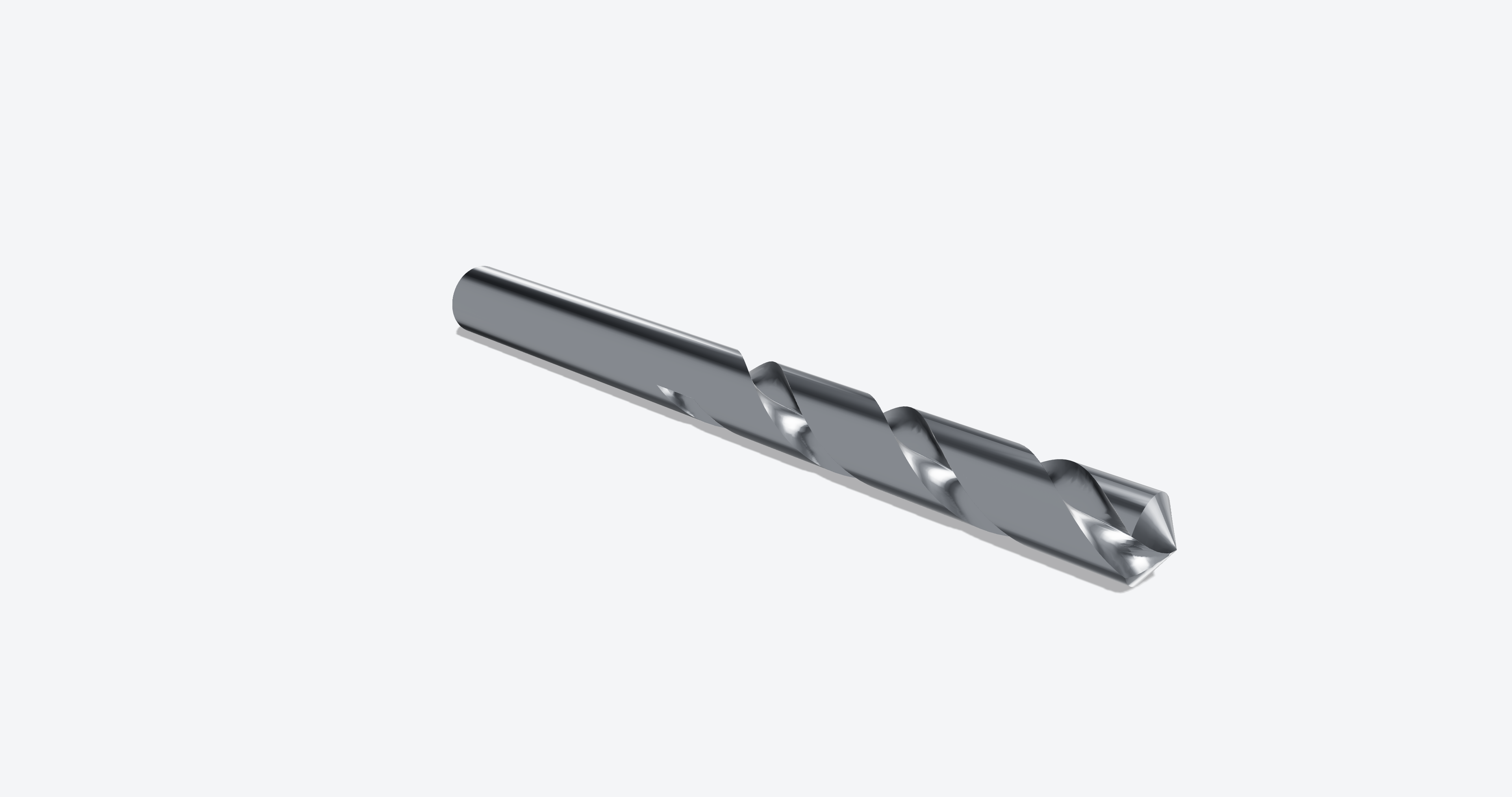
The drill on this page was built as a revolved blank, a helix and swept flute cuts, then rendered in the same application — no export to a separate rendering tool.
Data exchange
Bring in neutral CAD formats and send finished work out in the formats your shop, client or supplier expects.
| Area | Formats |
|---|---|
| Native files | Part .dcprt · sheet-metal part .dcsmt · assembly .dcasm · drawing .dcdrw. Assemblies and drawings embed the documents they reference. |
| Import | STEP, IGES, STL (ASCII and binary). Imported single parts are analysed and rebuilt as an editable feature tree where the result matches the original exactly. |
| Export — parts & assemblies | STEP AP214, IGES, STL, OBJ, PLY, glTF binary (.glb) |
| Export — drawings | PDF, SVG, DXF (millimetre units, line types, colour-coded layers, real dimension entities), PNG at 200 dpi |
| Meshes | Open and save STL, OBJ and PLY in the mesh workbench |
Straight talk
We would rather you hear the limits from us than discover them on a deadline.
Both are marked Beta in the application and are still being developed. Check and simulate every machining program before cutting, and treat stress results as a guide.
The geometry kernel runs as WebAssembly in a background worker, roughly 1.5–3× slower than native desktop kernels on heavy booleans and fillets. Editing late features stays fast because unchanged features are cached.
The sketch solver is 2D, and very large sketches (more than about 300 entities) get slow. Split big profiles into several sketches.
There is no native import of other vendors’ proprietary CAD files — use STEP or IGES. Document control has no user accounts or permissions yet.
Questions
DraftCore Mechanical launches on 20 October 2026. Write to sales@magnolab.in to request early access or to ask about pricing and availability.
No. DraftCore Mechanical runs fully offline. The optional AI assistant uses a local open model by default; cloud models are only used if you choose to configure one.
Both. It runs in a modern browser with WebGL, or as a desktop app. In Chromium-based browsers, Save writes back to the file you opened; other browsers download the file instead.
Yes. Write JavaScript macros (with parameter forms, so a macro becomes a small tool), install add-on packages that appear on the Add-ons tab, or call the local REST API from any language.
Yes, through the neutral formats STEP and IGES (and STL for meshes). Native proprietary files from other vendors are not imported directly.